
Скачать iMazing – безопасный перенос файлов iPhone, резервное копирование и управление
Обзор
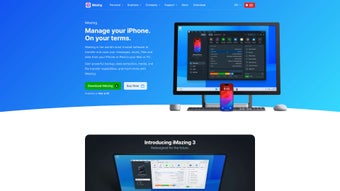
iMazing — мощное, но интуитивно понятное настольное приложение, позволяющее пользователям Mac обращаться со своим iPhone или iPod Touch как со съёмным диском. Монтируя iOS‑устройство как виртуальный жёсткий диск, iMazing устраняет трения, обычно сопровождающие передачу файлов, резервные копии и извлечение данных приложений. Вместо навигации через iTunes или Finder вы просто подключаете устройство к USB‑порту, открываете iMazing и начинаете перетаскивать файлы туда и обратно, как если бы это был внешний флеш‑накопитель. Интерфейс отражает привычный проводник macOS, делая управление документами, фотографиями, видео и данными приложений простым как для новичков, так и для продвинутых пользователей, без необходимости осваивать новый рабочий процесс. Хотя iMazing отлично справляется с перемещением всех типов файлов, он сознательно исключает синхронизацию музыки, которая остаётся в сфере iTunes или Apple Music. Такой фокус сохраняет программу лёгкой, быстрой и свободной от сложностей управления медиатекой. Независимо от того, нужно ли вам создать резервную копию важных рабочих документов, перенести пакет фотографий для презентации или экспортировать данные конкретного приложения для устранения неполадок, iMazing обеспечивает бесшовный опыт, ощущающийся как родной для macOS. Его надёжная обработка данных, регулярные обновления и отзывчивая служба поддержки делают его надёжным выбором для всех, кто хочет максимально использовать iPhone или iPod Touch без компромиссов в скорости или безопасности.
Ключевые функции и как работает iMazing
- Virtual Disk Mode: Mount your iPhone/iPod as a virtual hard disk for drag‑and‑drop file management.
- Full‑Device Backup: Create encrypted, incremental backups that can be restored to any iOS device.
- App Data Extraction: Export messages, call logs, and app data without jailbreaking.
- Selective Sync: Transfer only the files you need, avoiding full device sync cycles.
- Secure Transfer: All data is encrypted during transfer, protecting sensitive information.
- Cross‑Platform Support: Available for macOS and Windows, with iOS device compatibility from iOS 9 onward.
- Automatic Updates: The app checks for the latest iOS compatibility patches and feature enhancements.
The core of iMazing’s workflow revolves around its “Virtual Disk” technology. When you connect an iPhone, iMazing negotiates a low‑level communication channel with iOS, presenting the device’s sandboxed file system as a mountable volume. This means you can browse the entire file hierarchy, copy files to your Mac, or push files from your Mac to the device without ever leaving the Finder window.
Because iMazing uses Apple’s official APIs, the process remains secure and does not void warranties. The backup feature goes a step further by creating a complete snapshot of the device, including settings, app data, and system files. Backups are stored on your computer, can be password‑protected, and are versioned, allowing you to roll back to a previous state if needed. iMazing also offers a “Transfer to iPhone” wizard that streamlines moving large media collections, such as PDFs, e‑books, and video clips, directly into the appropriate apps.
This wizard automatically detects compatible apps on the device and places files where they belong, eliminating manual sorting.
Установка, использование и совместимость
Getting started with iMazing is straightforward. Download the installer from the official website, then double‑click the .dmg file on macOS (or the .exe on Windows). Follow the on‑screen prompts to drag the iMazing icon into your Applications folder.
The first launch will ask for macOS accessibility permissions—grant these so iMazing can communicate with your iOS device. Connect your iPhone or iPod Touch via a Lightning cable; iMazing will automatically detect the device and prompt you to trust the computer on the iOS side. Once trusted, the virtual disk appears in the Finder sidebar, and you can begin transferring files instantly.
iMazing supports macOS (10.13 High Sierra and newer) and Windows 10/11, making it a versatile solution for mixed‑OS environments. It works with any iPhone, iPad, or iPod Touch running iOS 9 or later, including the latest iOS 17 releases. The application is optimized for both Intel and Apple Silicon Macs, offering native performance on M1/M2 chips.
For users who prefer a wireless workflow, iMazing also provides a Wi‑Fi mode: enable “Connect over Wi‑Fi” in the app settings, and your device will appear on the network as long as both computer and iOS device share the same Wi‑Fi network. This feature is ideal for quick file swaps when a cable is inconvenient. Regular software updates are delivered through the built‑in updater, ensuring compatibility with new iOS releases and adding feature enhancements.
The user interface follows macOS design guidelines, with a clean toolbar, side navigation, and contextual menus that make advanced operations—such as creating incremental backups or exporting specific app data—accessible with just a few clicks.
Плюсы, минусы и часто задаваемые вопросы
Плюсы
- Intuitive drag‑and‑drop file transfer eliminates the learning curve.
- Secure, encrypted backups protect personal data.
- Selective sync saves time compared to full iTunes restores.
- Cross‑platform support for macOS and Windows.
- Regular updates keep pace with Apple’s rapid iOS releases.
Минусы
- No native music sync; you still need iTunes or Apple Music for that.
- Full version requires a one‑time purchase (free trial has limited features).
- Large backups can consume significant disk space if not managed.
Часто задаваемые вопросы
Can iMazing transfer photos and videos without using the Photos app?
Yes. When iMazing mounts the device as a virtual disk, the DCIM folder is exposed, allowing you to copy photos and videos directly to any folder on your Mac without opening the Photos app.
Is the backup created by iMazing encrypted?
Absolutely. You can set a password for each backup, and iMazing uses AES‑256 encryption to protect the data both at rest and during transfer.
Does iMazing work with iOS devices that are locked with a passcode?
The device must be unlocked and you must tap “Trust This Computer” on the iOS prompt. After that, iMazing can access the file system for the duration of the session.
Can I use iMazing to restore a backup to a different iPhone?
Yes. iMazing’s backups are device‑agnostic; you can restore a backup created from one iPhone to another, as long as the iOS version is compatible.
Is there a free version of iMazing?
iMazing offers a 14‑day free trial that provides full functionality. After the trial, you need to purchase a license (currently $39.99) to continue using the app without limitations.
Заключение – Почему iMazing является умным выбором для пользователей Mac
If you’ve ever felt frustrated by the clunky nature of iTunes or the limited file‑browsing capabilities of Finder, iMazing offers a breath of fresh air. Its virtual disk approach turns the iPhone into a familiar external drive, while the backup and app‑data tools give you granular control over your device’s content. The combination of security, speed, and a clean macOS‑styled UI makes iMazing a compelling addition to any power user’s toolkit.
Although it does not replace iTunes for music syncing, the focused feature set ensures the app stays lightweight and reliable. For Mac owners who need a secure, free‑from‑bloat solution for transferring documents, photos, or app data, iMazing delivers exactly what it promises—effortless, secure file management. Click the button below to download a free trial, explore the full feature set, and experience a smoother workflow between your Mac and iOS devices today.







